Vinyl Cutter

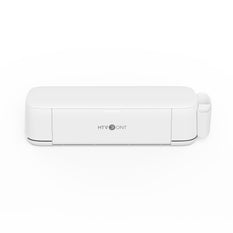
In Heat Transfer Vinyl DIY, designs are usually cut first and then applied with a Heat Press. Drawing patterns by hand and cutting them with scissors is easy to get wrong, time-consuming, and labor-intensive, and scissors struggle to cut small, intricate shapes accurately. A Vinyl Cutter solves these problems by cutting precise HTV shapes and fine details, making the whole DIY process cleaner and more efficient.

Filter:
  • A$9.99 Regular price
    Regular priceSale price
    A$9.99 A$53.99
  • A$299.99 Regular price
    Regular priceSale price
    A$299.99
    • White
  • A$9.99 Regular price
    Regular priceSale price
    A$9.99 A$19.99
  • A$9.99 Regular price
    Regular priceSale price
    A$9.99 A$38.99

Vinyl Cutter FAQ

What is a Vinyl Cutter?

A vinyl cutter is a computer-controlled machine that uses a small blade to cut designs from vinyl, paper, cardstock, and other thin materials. It follows a digital vector path sent from a connected computer, moving the blade across the material while rollers feed it through. The most common use is sticker-making, but it also handles heat transfer vinyl (HTV) for apparel, window decals, and signage. It is not a printer—it cuts, so no ink or heat is involved during the cutting process itself.

How to Use a Vinyl Cutter for T-shirts?

For T-shirts, you need Heat Transfer Vinyl (HTV), not adhesive vinyl. Load the HTV into the cutter with the matte side facing up, send your design (mirrored in the software), and cut. After weeding away the excess vinyl, place the design onto the shirt and apply heat. A Heat Press gives the most consistent pressure and temperature, though a home iron can work on the correct setting. Always follow the specific time and temperature recommended by your HTV Vinyl manufacturer, as different films vary.

What Can I Do with a Vinyl Cutter?

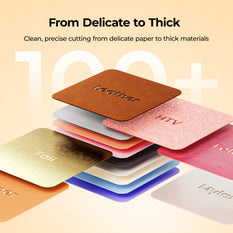
A vinyl cutter is far more versatile than “just stickers.” Beyond decals for laptops, windows, and walls, it cuts HTV for custom T-shirts, tote bags, and team jerseys; cardstock for greeting cards and 3D paper crafts; and stencil film for painting projects. You can also produce signage and window lettering for small businesses, vehicle decals, and personalized gifts like tumblers or ornaments. The practical limit is usually the material thickness and your design software, not the machine itself.

How to Connect a Vinyl Cutter to a Computer?

Most modern vinyl cutters connect via USB or Bluetooth. The general workflow is: install the manufacturer’s driver and design/cutting software, connect the cable (USB is usually more stable for first-time setup), power on the machine, and let the software recognize the device. If the cutter supports Bluetooth, pair it after the driver is installed. For older or industrial models with a Serial port, a USB-to-Serial adapter can bridge the connection. Always check your specific machine’s manual, as the exact driver installation steps differ by brand and operating system.

How to Make Money with a Vinyl Cutter?

The most common entry points are custom apparel (T-shirts, hoodies via HTV), personalized gifts (tumblers, ornaments, signs), and adhesive decals for cars, windows, and laptops. You can sell on marketplaces like Etsy or through local markets and social media without building a full e-commerce site. Many home-based makers pair a vinyl cutter with a Heat Press and quality HTV Vinyl to fulfill apparel orders efficiently. Start with a small product line, price for material cost plus labor, and scale as demand grows.

What Is the Best Vinyl Cutter for a Beginner?

The “best” machine depends on your primary use, but for most beginners, software ease and setup simplicity matter more than raw cutting force. The Cricut Explore 5 is widely recommended as a starting point because its guided workflow makes learning the software less frustrating. If you want more design control or plan to cut long rolls, the Silhouette CAMEO 5 is a strong alternative with deeper desktop tools. Before buying, decide whether you need a craft cutter for mixed home projects or a roll-fed plotter for production-style vinyl work—they serve different needs.