New Arrival! HTVRONT H10 12x10in Heat Press
- Real-Time Display Ensures Accurate Pressure Control: Equipped with a built-in pressure sensor, HTVRONT heat press monitors and displays pressure data in real time.
- Dual Handle Design Delivers Even Pressure: Designed with innovative dual handles, the HTVRONT heat press machine offers extra support and control. The balanced grip ensures steady pressure, reducing the risk of edge lifting and incomplete transfers.
- Rapid Heat-Up, Less Waiting: This HTVRONT heat press machines delivers faster, more efficient heat pressing with an advanced heating system that reaches 212°F (100°C) in just the first minute.
- Large 12x10in Heat Plate For More Possibility: With the spacious 12×10in surface, our tshirt heat press is designed to handle larger designs in a single press, helping you save time and effort. From T-shirts, hoodies, and pillows to bags and home décor projects, this versatile HTVRONT heat press for shirts supports a wide range of creative applications, making it an ideal choice for both personal and small business use
Final price
Saved
MSRP
A$219.99
A$219.99
Unit price
per
Machine Color
Package
Saved
Standard Kit
A$193.99
A$193.99
Unit price
per
Saved
Beginner Kit
A$263.99
A$263.99
Unit price
per
Saved
Beginner Kit
A$263.99
A$263.99
Unit price
per
HTVRONT H10 12x10in Heat Press
Craft Bigger, Craft Smarter
HTVRONT H10 for Safer & Easier Heat Pressing
Spacious 12*10in Heat Plate
Fit full A4 designs in one press for more creative freedom while saving time and effort.
Real-Time Display, Reliable Control
The built-in pressure sensor detects pressure in real time, ensuring pro results with fewer errors.
Faster Heat, Effective Results
The aluminum heat plate conducts heat quickly and evenly, while the ceramic coating locks it in.
Dual Handles, Double the Evenness
The dual handles design adds extra support for a steadier press, preventing edge lift and ensuring smooth results.
Memory Mode Handles Bulk Orders
Designed for convenience, it remembers your last settings — just press and go for a smooth, efficient workflow.
Unlock Creativity for Every Occasion
Learn from Pro Reviews & Tutorials
- Honest Expert Reviews
- How-To Tutorials
Specifications
Input Voltage
SAA 220-240V~ 50Hz
Time Range
1-600 S
Temp Range
100-205°C / 210-400°F
Auto Shut-off
15 mins
Pressure
4-45 kg / 9-100 lb
Heat Plate Dimensions
305 x 254 mm / 12 x 10 in
Product Dimensions
348 x 296 x 148 mm /
13.70 x 11.65 x 5.83 in
Package Dimension
390 x 180 x 345 mm /
15.35 x 7.09 x 13.58 in
Product Weight
3.7 kg / 8.16 lb
Package Weight
4.3 kg / 9.48 lb
Press In 6 Steps
Step 1
Power on & set parameters;
Step 2
Place a heat press mat (not included in the Standard Kit) under the substrate, then pre-press it to remove wrinkles;
Step 3
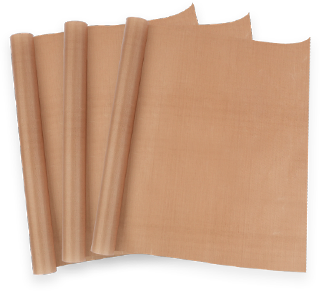
Secure design with heat-resistant tape & cover with PTFE sheet (both not included in the Standard Kit);
Step 4
When the “R” button lights green, apply pressure and start ironing.
FAQ
Are there free design sources and vector files, and how can I download and use them?
A1: You can download LOKLiK IdeaStudio™ from this link: https://store.loklik.com/download
Or visit the website: https://www.loklikworkshop.com
How can I get technical support?
A1: If you need technical support while using your machine, please feel free to contact HTVRONT Customer Service at support-au@htvront.com
How to achieve the best transfer results?
A1: Set the ironing temperature, time, and pressure according to the Quick Reference Chart;
A2: It is recommended to use HTVRONT branded materials and follow the material guidelines strictly when using.
How to switch the temperature unit (℃/℉)?
A1: Press and hold the "Temperature" button for 3 seconds to switch.
How do I switch the pressure unit (kg/lb)?
A1: Press and hold the "Time" button for 3 seconds to switch.
What to do if the screen shows E01/E02/E03/E04 and the device beeps?
A1: Turn off the power, then restart the device;
A2: If the error remains, please contact customer support for assistance.
Why does the device emit a bit of smoke during heat pressing?
A1: It is normal when using sublimation materials, as sublimation ink will vaporize into gas.
Why can’t the device be fully turned off?
A1: It is normal for the "Power" button to light up as long as the device is powered on. If you want to turn it off, just unplug the device.
What if my device stops working?
A1: Check the power supply;
A2: Try unplugging and restarting. If the issue persists, please reach out to HTVRONT customer service.
HTVRONT reserves final interpretation rights for this event.
Diverse Accessories Simplify Creations
A$15.99
Regular price
Regular priceSale price
Unit price
per
A$15.99
A$13.99
Regular price
Regular priceSale price
Unit price
per
A$13.99
A$15.99
A$16.99
Regular price
Regular priceSale price
Unit price
per
A$16.99
A$16.99
A$41.99
Regular price
Regular priceSale price
Unit price
per
A$41.99